Free AI Workout Tracker
for iPhone.
Train without unlocking your phone.
Shaper AI is a free iPhone workout tracker with Lock Screen Live Activity, an AI coach that builds and adapts your training plan, and automatic session rotation. No subscription. No ads. No limits.
Free · No subscription · No ads
AI Workout Tracker Features
Built for the gym floor.
Not a spreadsheet.
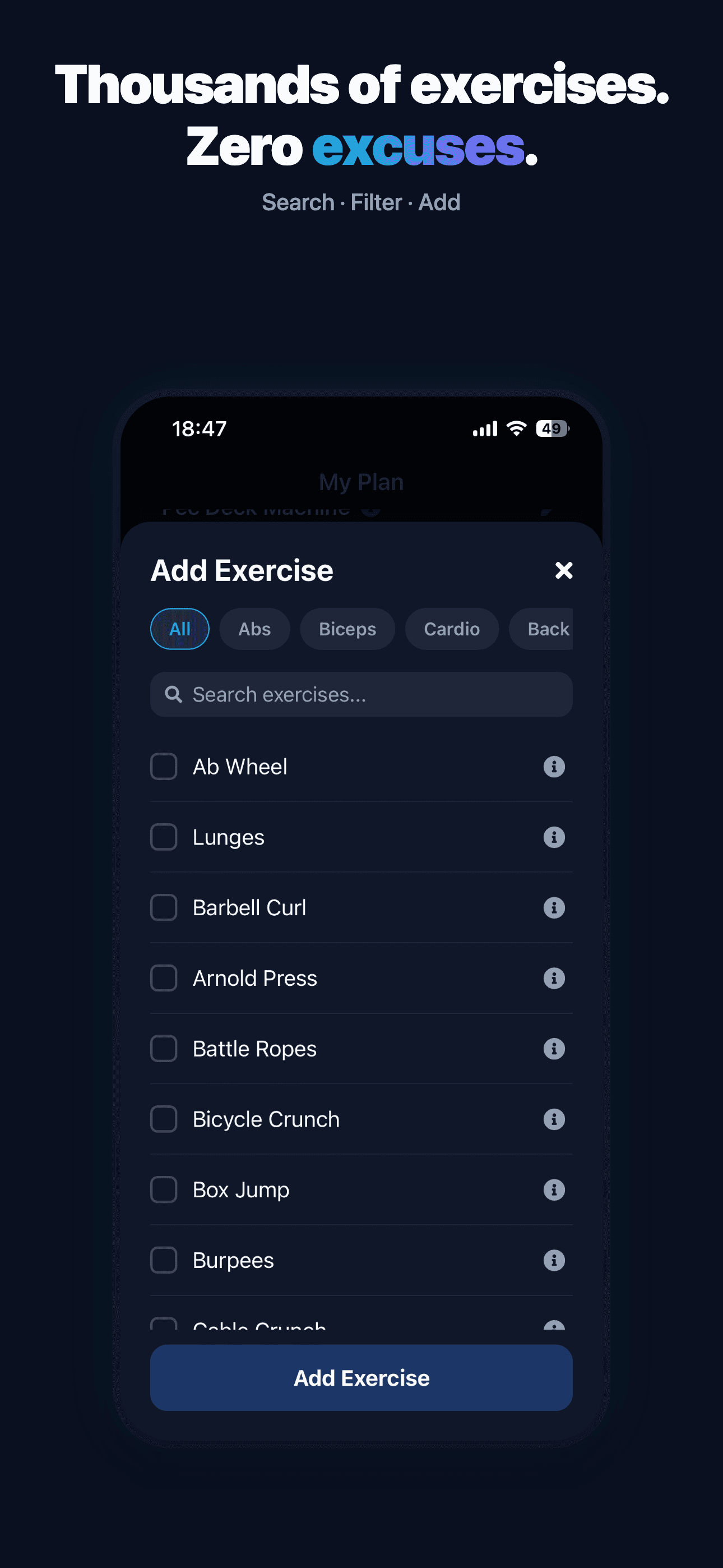
Describe your goals, schedule, and equipment and the AI coach builds a complete training plan — Push/Pull/Legs, upper/lower, or any custom split. Snap a photo of any existing plan to import it instantly. After every session, your coach reviews volume, intensity, and recovery and tells you what to adjust.
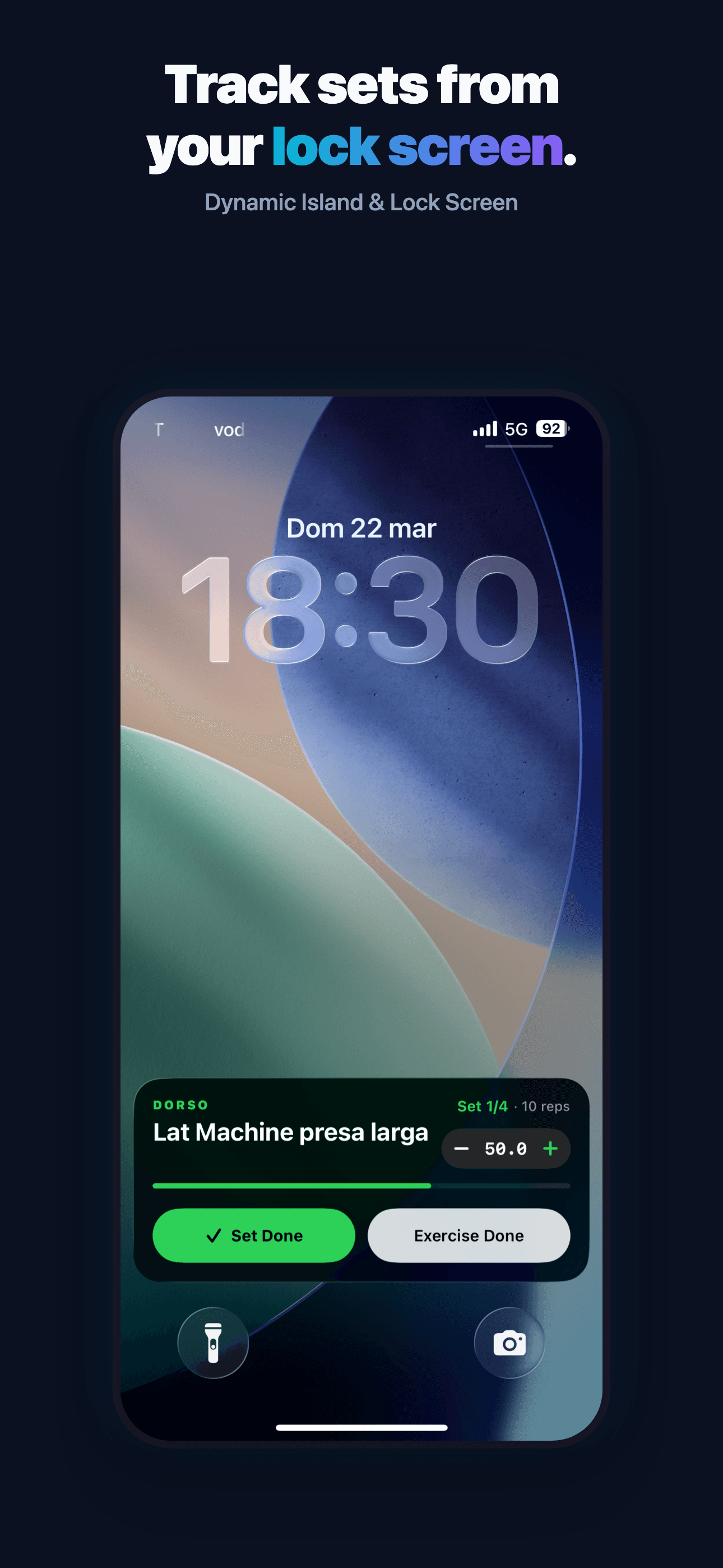
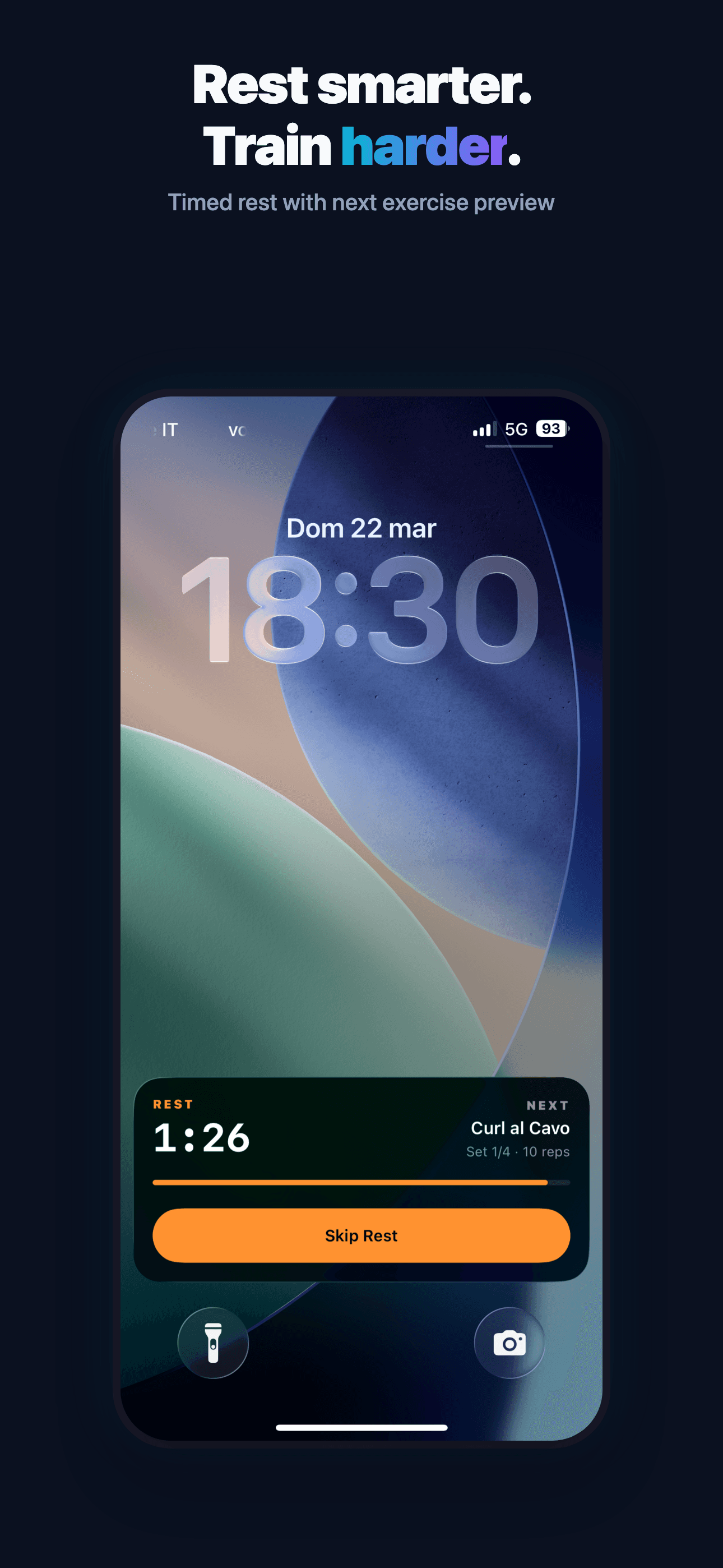
Shaper AI uses iOS Live Activities to show your current exercise, set number, and rest timer on the iPhone Lock Screen and Dynamic Island throughout your workout. Tap to log a completed set or skip to the next exercise — no unlocking required. Works on iOS 16.1+.
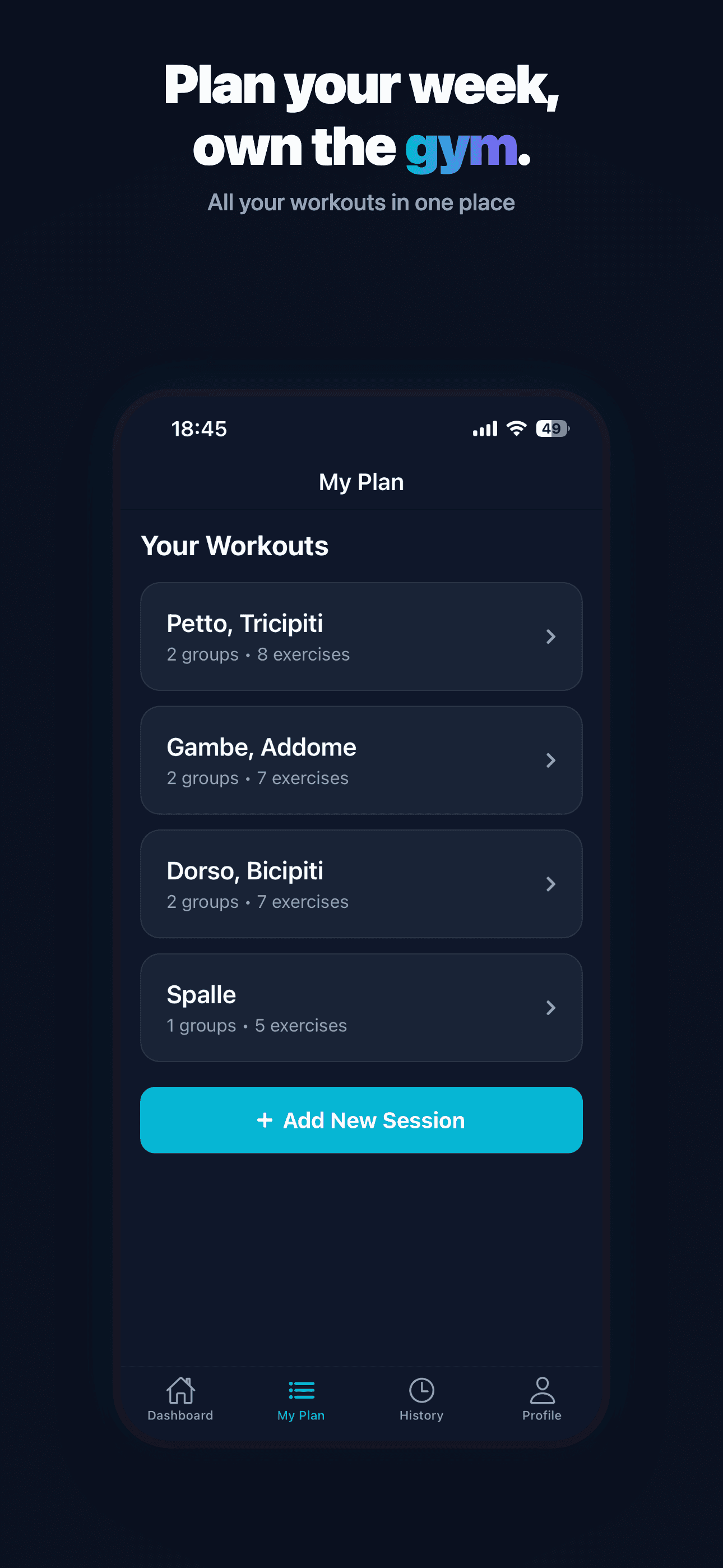
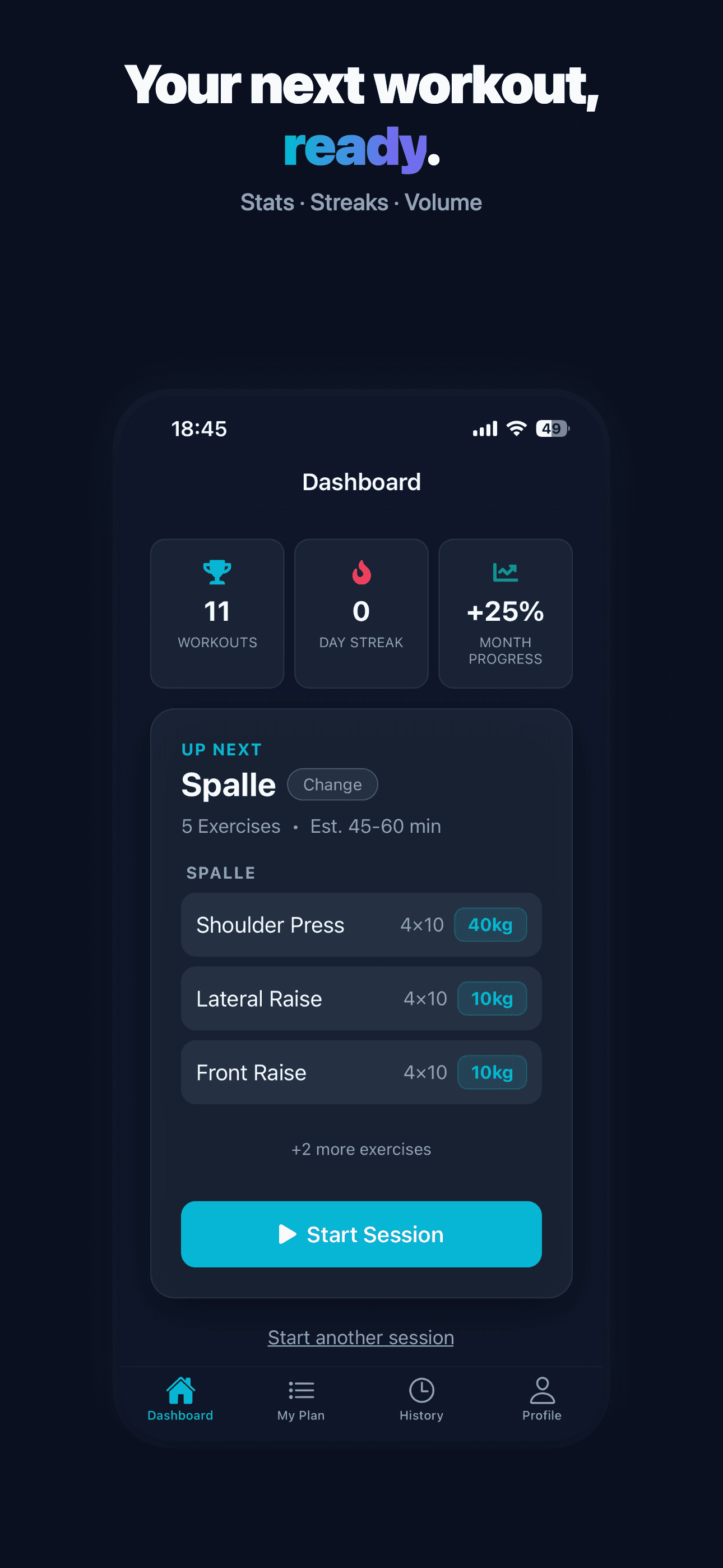
Build any training split — Push/Pull/Legs, upper/lower, 4-day, or 5-day. Shaper AI automatically selects the correct next session each time you open the app, so you never have to think about what day of your program you're on.
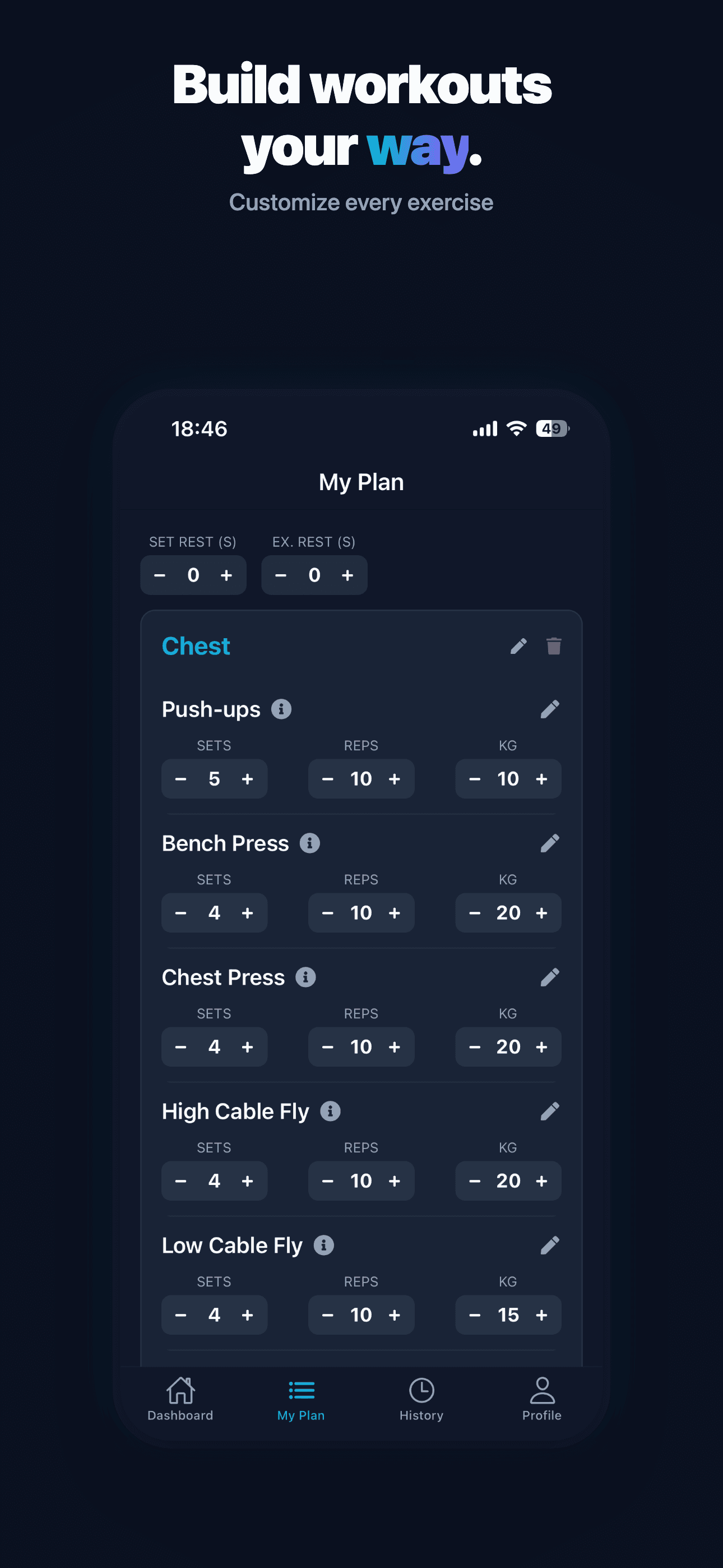
Rest timers start automatically after each set and exercise. Configure the duration per exercise, extend or skip mid-timer, and watch the countdown from the Lock Screen without opening the app.
A custom numeric keypad lets you log weight and reps one-handed while holding a barbell or dumbbell. Your previous performance for each set is shown inline, so you always know the exact target to beat.
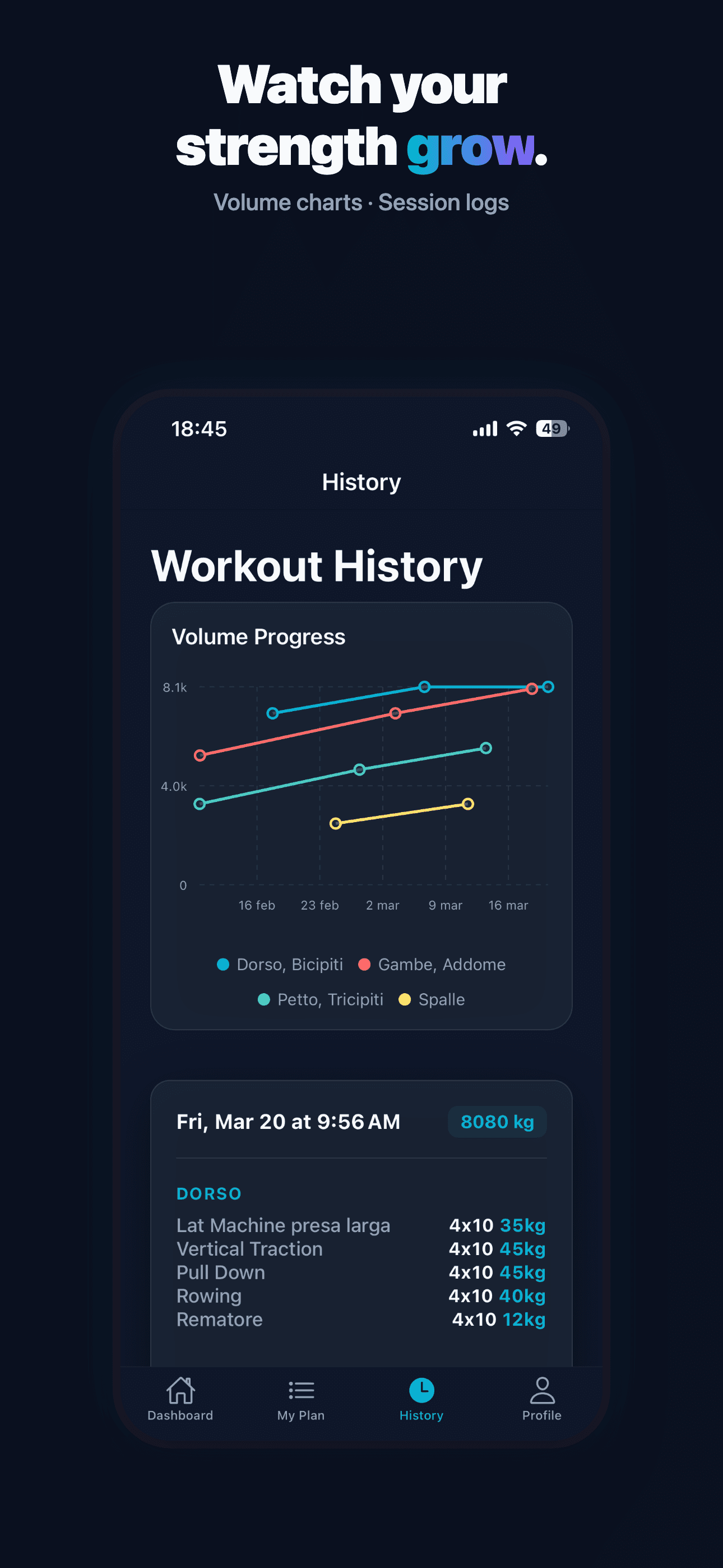
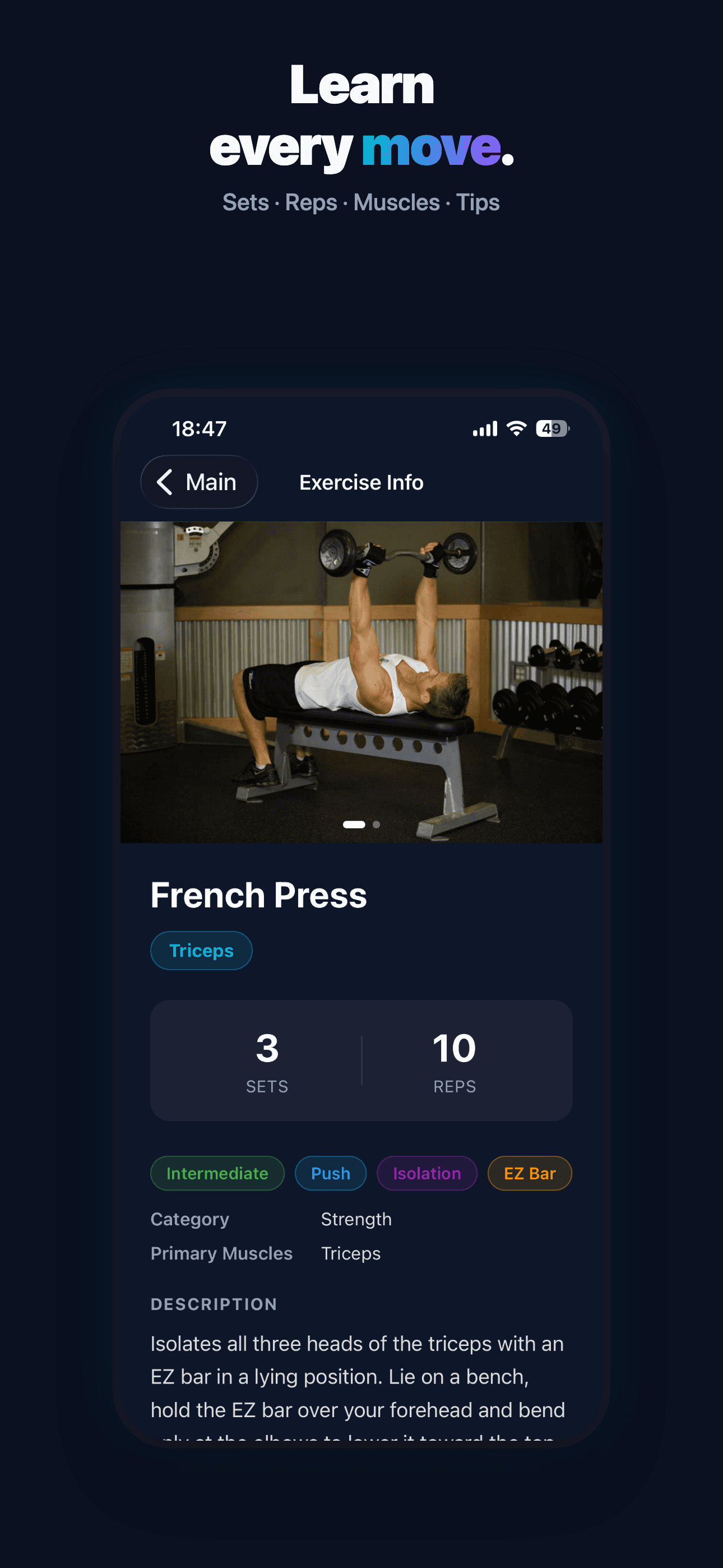
Every workout is automatically saved with full set-by-set detail. Browse your session history, track volume trends over weeks, and see your strength progression on a per-exercise basis.
Get started in minutes
How Shaper AI works.
From first open to your first AI-built workout in under five minutes.
Tell the AI your goals
Open the AI coach and describe your training goals, available equipment, weekly schedule, and experience level in plain language. Whether you want to build muscle, increase strength, lose fat, or improve conditioning, the AI understands conversational input — no forms, no questionnaires, no dropdowns. You can also upload a photo of any existing training plan and Shaper AI will read and import it automatically using computer vision.
Get a complete training plan
Within seconds Shaper AI generates a structured workout program tailored to your inputs. You can request a Push/Pull/Legs split, an upper/lower program, a 4-day or 5-day plan, or any custom schedule. Every session includes the right exercises, sets, reps, and rest periods. The plan is fully editable — add exercises, swap movements, or adjust volume through conversation at any time. Your AI coach will also suggest alternative exercises when equipment changes or when you want variety.
Train, log, and improve
Shaper AI selects the correct session automatically each time you open the app — no manual tracking of what day of your program you are on. Log sets and reps from the iPhone Lock Screen using iOS Live Activities without ever unlocking your phone. After each workout, your AI coach reviews your performance data — total volume, set-by-set intensity, and estimated recovery demand — and provides specific, actionable feedback on what to adjust in your next session to keep progressing.
AI Workout Planning
Your plan, built by AI.
Feedback after every session.
Chat with Shaper AI to design your training plan, adjust it on the fly, or snap a photo of any existing plan to import it instantly. After each workout, your AI coach reviews your performance and tells you exactly what to change.
Evidence-based training
Built on the science of progress.
Every feature in Shaper AI is grounded in established exercise science principles. Here is why tracking your training matters and how the app is designed to help you make faster, more consistent progress.
Progressive Overload
The single most important principle in strength training is progressive overload: consistently increasing the demands placed on your muscles over time. This can mean adding weight, performing more reps, or completing more sets across weeks and months. Without tracking, it is nearly impossible to apply progressive overload systematically. Shaper AI displays your previous performance for every set inline during your workout, so you always know the exact target to beat. This turns individual sessions into a continuous progression curve rather than disconnected efforts.
Training Volume and Intensity
Research in exercise science consistently shows that weekly training volume — the total number of hard sets per muscle group — is one of the primary drivers of hypertrophy and strength gains. Most lifters benefit from 10–20 sets per muscle group per week, distributed across two or more sessions. Intensity, expressed as proximity to failure, determines how much each set contributes to adaptation. Shaper AI automatically calculates session volume and post-workout AI feedback flags whether you are in an effective range or drifting toward under-training or overreaching.
Recovery and Adaptation
Muscular growth and strength adaptation occur between workouts, not during them. Training creates a stimulus; the body adapts during rest. For most lifters, a muscle group needs 48–72 hours of recovery between training sessions to complete the repair and supercompensation process. Shaper AI's auto-rotating plan sequences sessions so each muscle group gets adequate recovery time before being trained again. Post-workout AI feedback also monitors accumulated fatigue indicators — drop-off in performance, reported soreness, session density — and adjusts recommendations to prevent overtraining and injury.
Periodization and Long-Term Planning
Effective training programs use periodization: planned variation in training stimulus over weeks and months to avoid adaptation plateaus and sustain long-term progress. A well-periodized program alternates between phases of higher volume and lower intensity, and phases of lower volume and higher intensity, allowing the nervous system and musculature to recover and adapt. Your Shaper AI coach can design periodized programs that evolve as your strength increases, recommend deload weeks when fatigue accumulates, and modify your plan in response to your logged performance data — adapting your program the same way a qualified personal trainer would.
App Comparison
How Shaper AI stacks up.
| Feature | Shaper AI | Strong | Fitbod |
|---|---|---|---|
| Price | Free — no limits | Free tier (3 routines); paid for full access | Paid subscription |
| AI coach | Yes — conversational plan builder + post-workout feedback | No | AI-generated workouts only |
| Lock Screen Live Activity | Yes — exercise, sets, timer without unlocking | No | No |
| Auto-rotating plan | Yes — automatic session selection | No — manual | Yes |
| Import plan from photo | Yes | No | No |
| Apple Watch support | No | Yes | Yes |
See it in action.
What people are saying.
"The Lock Screen timer is a game-changer. I never touch my phone between sets anymore."
"Finally a workout tracker that doesn't get in the way. Simple, fast, and it just works."
"Love the auto-rotating plan. I set it up once and Shaper AI figures out what's next every session."
Common questions.
Is Shaper AI free?
Yes — completely free. No subscription, no ads, no in-app purchases. Download it on the App Store at no cost and use every feature with no limits.
Does it work on the iPhone Lock Screen?
Yes. Shaper AI uses iOS Live Activities to show your current exercise, set count, and rest timer directly on the Lock Screen and Dynamic Island. You can log sets and advance to the next exercise without ever unlocking your phone.
Does Shaper AI work offline?
Yes. Workout logging, rest timers, and your training plan all work without an internet connection. A connection is only needed when chatting with the AI coach.
Can I import my existing workout plan?
Yes. Take a photo of any training plan — handwritten, printed, or on screen — and the AI coach will import it automatically.
What iPhone do I need?
Shaper AI requires iOS 16 or later on any iPhone. Lock Screen Live Activity works on iOS 16.1+. Dynamic Island support is available on iPhone 14 Pro and later.